Debug a SQL draft
This document explains how to enable deployment debugging to simulate deployment running, check outputs, and verify the business logic of SELECT, INSERT and auxiliary statements. This feature improves development efficiency and reduces the risks of poor data quality. This topic describes how to debug a Flink SQL deployment.
After the process description, there is a worked example at the end of this topic.
Background Information
The deployment debugging feature allows you to verify the correctness of the draft’s FlinkSQL logic in the console of fully managed Flink. During the debugging, data is not written to the result table regardless of the type of the result table. When you use the deployment debugging feature, you can use the upstream online data or local mock data. You can debug complex deployments that include multiple SELECT or INSERT statements, and auxiliary statements such as EXPLAIN. SQL query statements allow you to use UPSERT statements that contain update operations, such as count (*).
Prerequisites
A running session cluster which matches the engine version of the debugged SQL draft.
Limits
- To use the deployment debugging feature, you must first create a session cluster.
- You can debug certain types of FlinkSQL statements. DDL statements are not supported.
- You can only debug SQL deployments.
- You cannot debug deployments in which the CREATE TABLE AS or CREATE DATABASE AS statement is executed.
- MySQL CDC source tables are not written in append-only mode. Therefore, you cannot debug data of MySQL CDC source tables for session clusters of VERA 1.0.3 or an earlier version.
- By default, fully managed Flink reads a maximum of 1,000 data records. If the number of data records that are read by fully managed Flink reaches the upper limit, fully managed Flink stops reading data.
Limits on Debugging Data Files
- Only a CSV file is supported.
- A CSV file must contain a table header, such as id (INT).
- A CSV file can contain a maximum of 1,000 data records but cannot be greater than 1 MB.
Precautions
See the precautions relating to Session Clusters.
Procedure
Step 1: Create a Session Cluster
These steps are described in Create a session cluster.
Step 2: Debug a Deployment
-
Create an SQL deployment and write code for the deployment. For more information, see Develop an SQL draft.
-
In the left-side navigation pane of the Console, click SQL editor and display the Drafts tab.
-
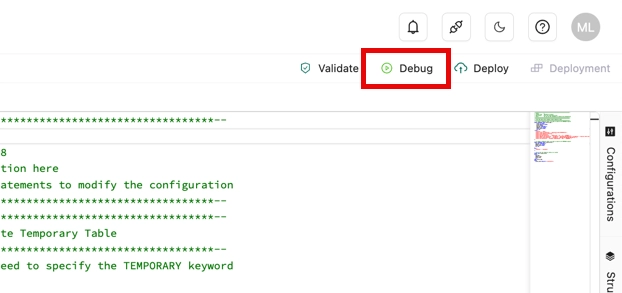
Choose the draft you want to debug and click on the Debug icon.
-
In the Debug dialog box, select a session cluster from the Session Cluster drop-down list and click Next.

-
Configure debugging data.
-
If you use online data for debugging, click Confirm.
-
If you use debugging data to debug a deployment, click Download mock data template, enter the debugging data in the template (see the table below), and then click Upload mock data to upload the debugging data.
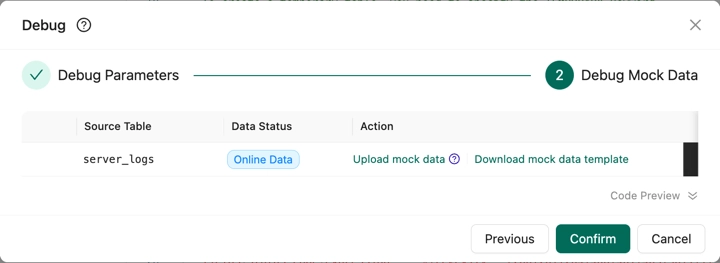
The following table describes the parameters in the Debug Mock Data step.
Parameter Description Download mock data template You can download the debugging data template to edit data. The template is adapted to the data structure of the source table. Upload mock data If you want to debug a deployment by using debugging data, you can download the debugging data template, upload the data after you edit the template, and then select Use mock data. Note: See Limits on debugging data files below. Data Preview After you upload the debugging data, click the plus icon on the left side of the name of the source table to preview the data and download the debugging data. Code Preview The deployment debugging feature automatically modifies the DDL statements in source tables and result tables. However, this feature does not change the code in deployments. You can preview code details in the lower part of Code Preview. -
-
Click Confirm.
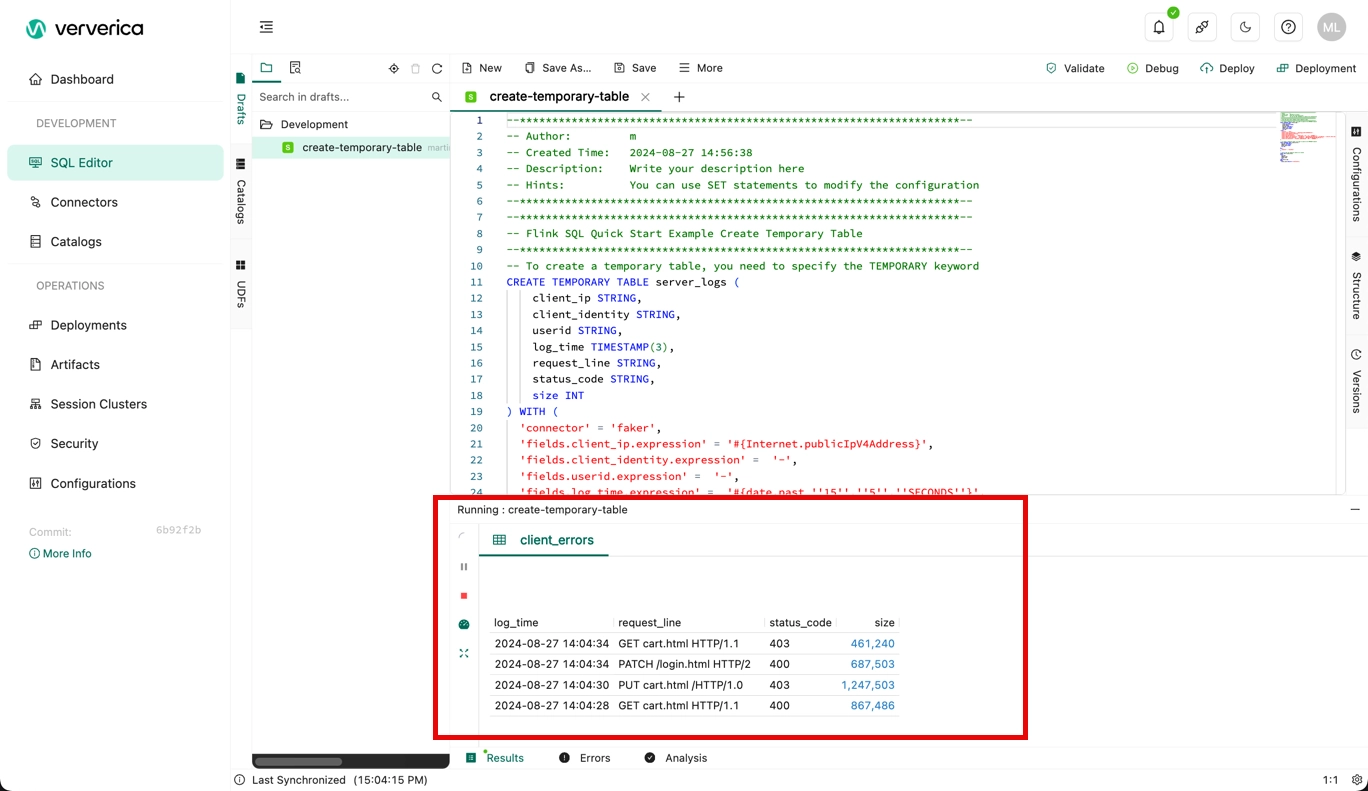
After you click Confirm, the debugging result appears in the lower part of the SQL script editor.
Worked Example
-
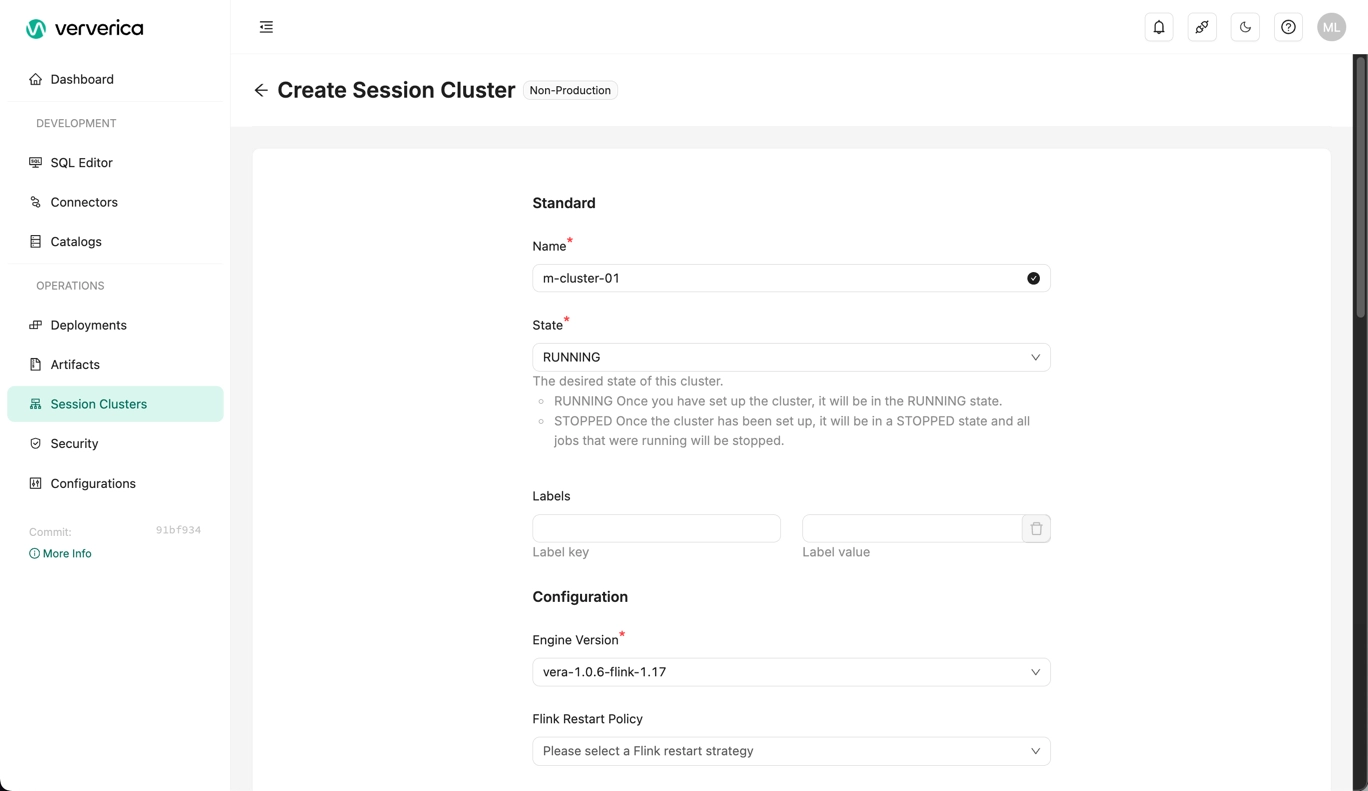
Create a session cluster.
- You need to specify a name, state (RUNNING) and engine version, but you can leave the rest of the parameters at their default settings.
- Click Create Session Cluster when ready.
-
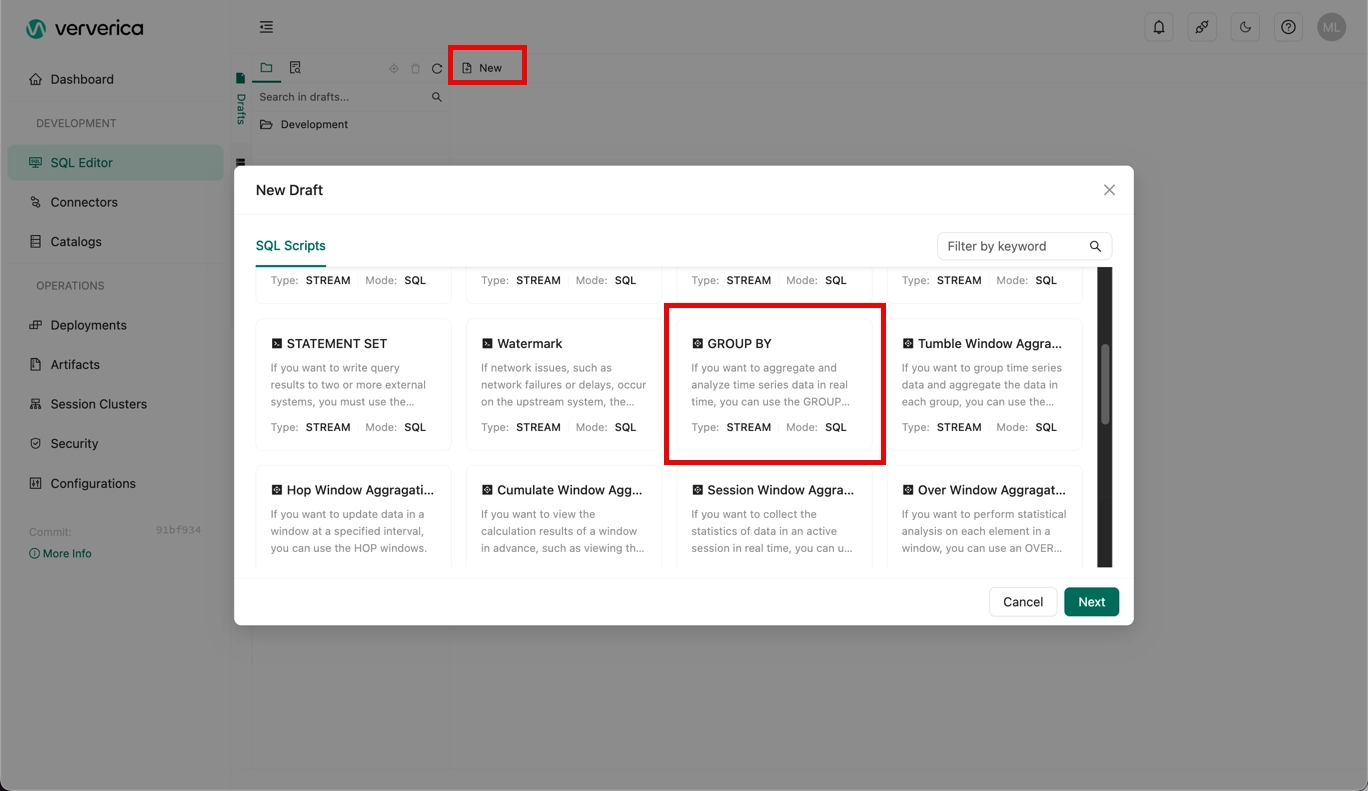
When the session cluster has started, create a new SQL draft using the GROUP BY example:
-
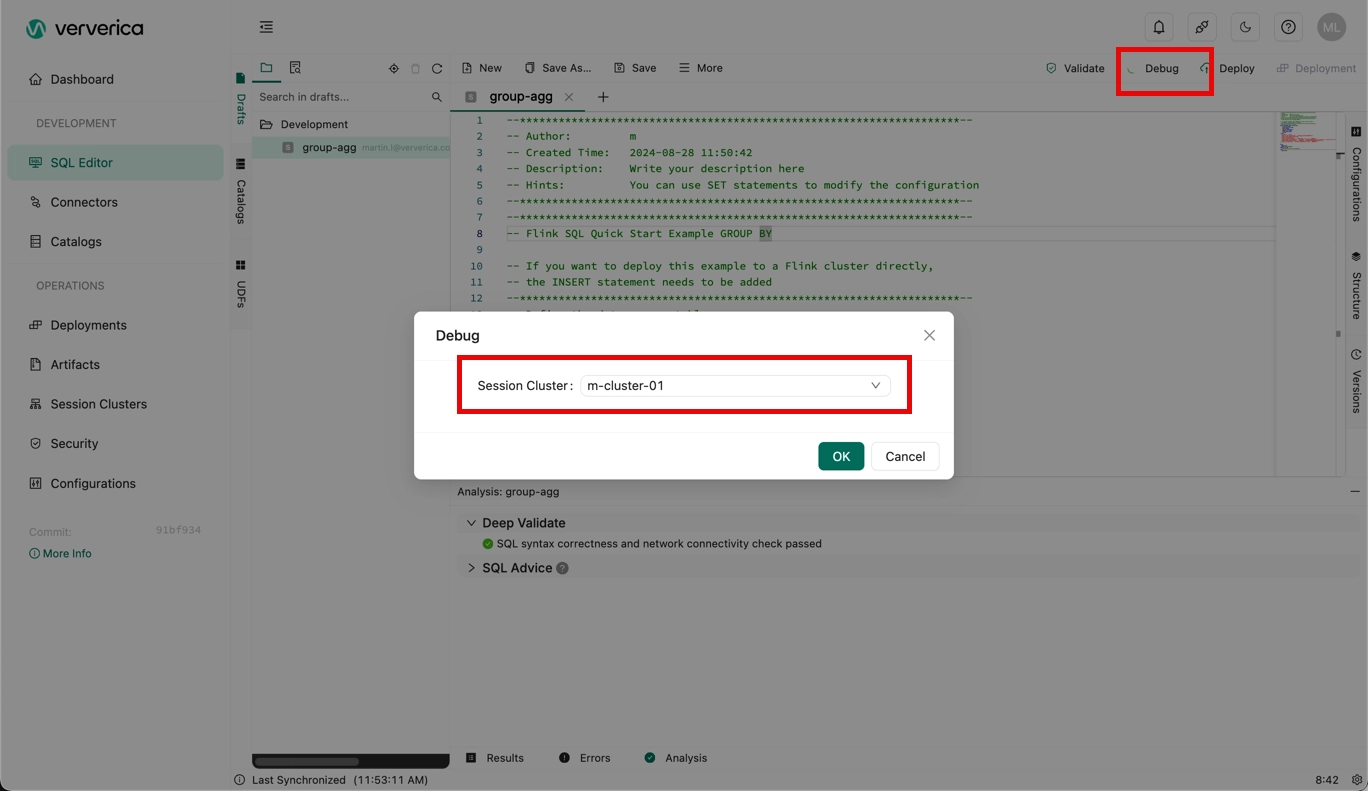
Click Debug, and select the session cluster you created.
-
Click OK.
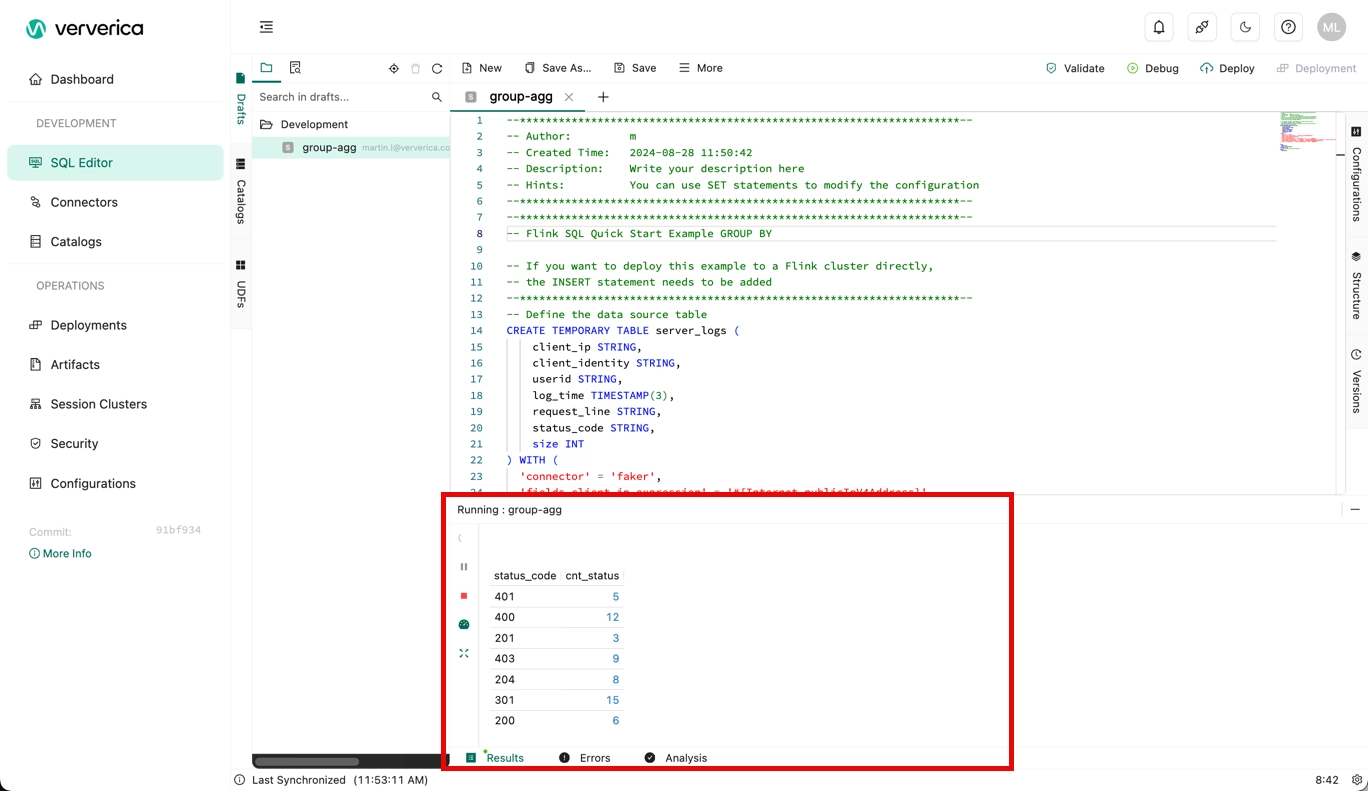
You'll see the results of the debug session:
References
- For more information about how to start a deployment, see Start a deployment.
- For more information about how to debug Flink JAR and Python deployments, see Develop a JAR draft.
- For more information about how to create and deploy an SQL draft, and start its deployment, see Getting started with a Flink SQL deployment.